
- Select the post that you want to report
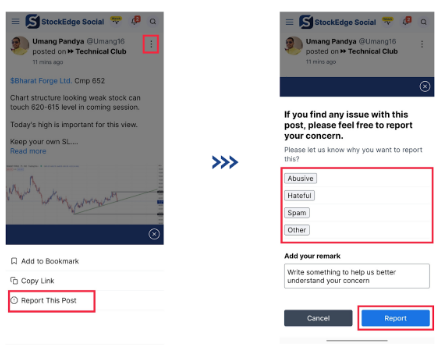
- Click on the 3 dotted line
- Select the option “Report this post” from the drop down menu
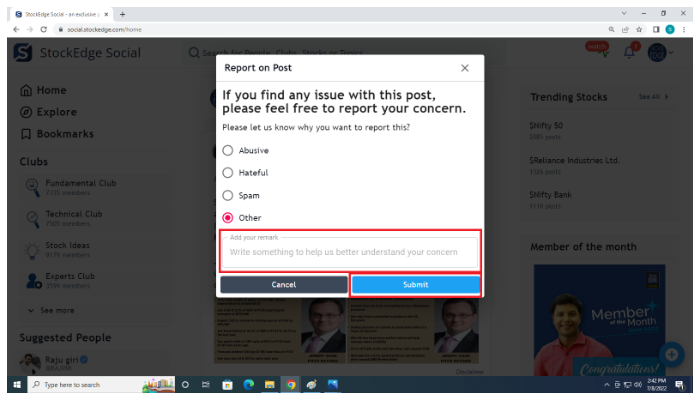
- A new window will open “Report on Post”
- Select the appropriate reason for reporting the post
- Add your remarks
- Click on Submit
App:
Video Tutorial :
Comments
0 comments
Please sign in to leave a comment.