
Web:
- Go to your profile (on the top right corner)
- Click on that post for which you want to check the comments
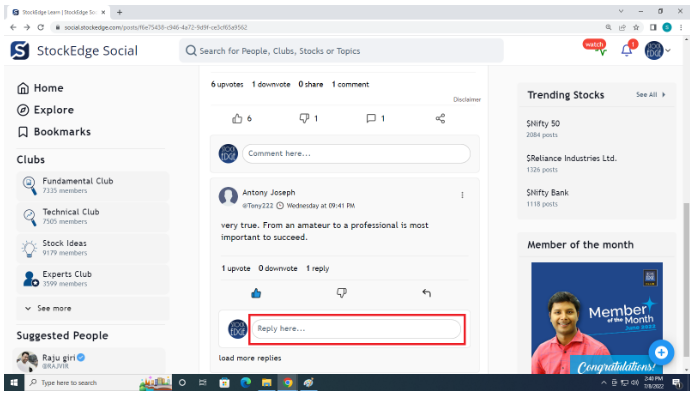
- You will “Reply here” below each comment
- Click on Reply here
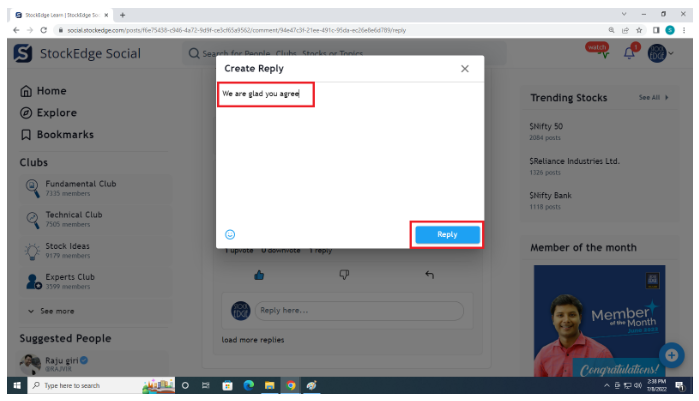
- Write your reply
- Click on reply
App:
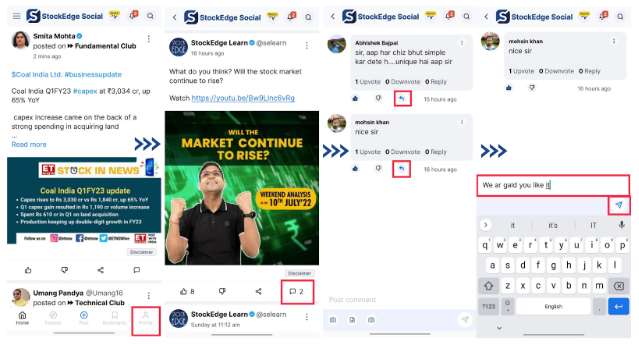
- Go to your profile (on the bottom right corner)
- Click on that post for which you want to check the comments
- You will find reply icon below each comment
- Click on the reply icon & write it down
- Click on Send button.
Video Tutorial:
Comments
0 comments
Please sign in to leave a comment.