
Web:
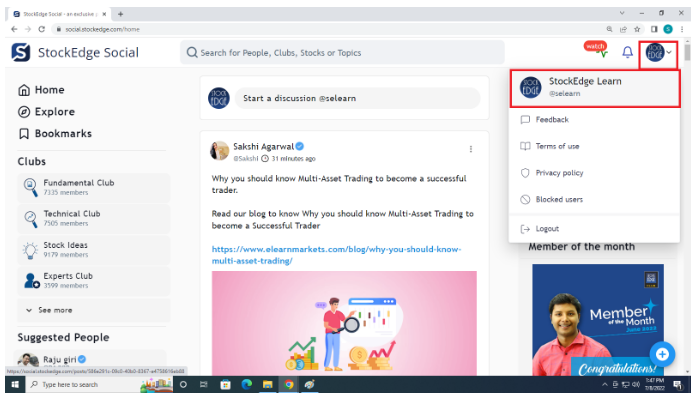
- Log in to social.stockedge.com.
- Go to your Profile (on the top right corner)
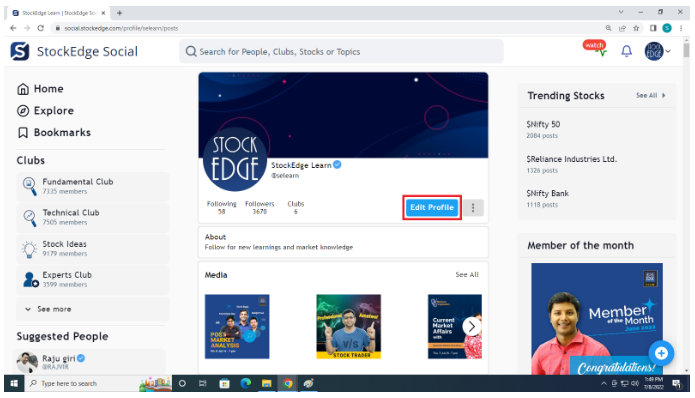
- Click on Edit Profile and select the profile type as “PRIVATE”.
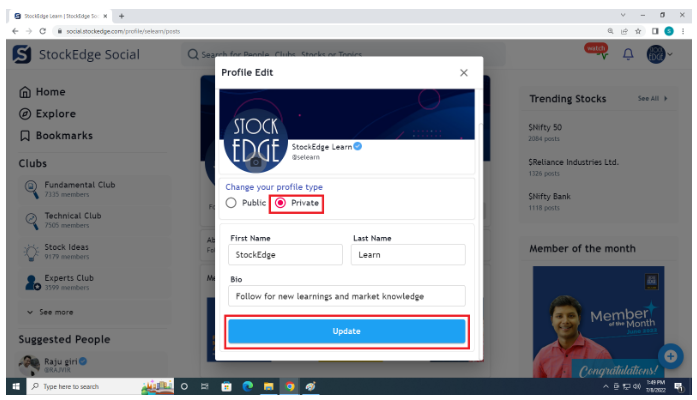
- Click on Update to complete.
Video Tutorial :
App:
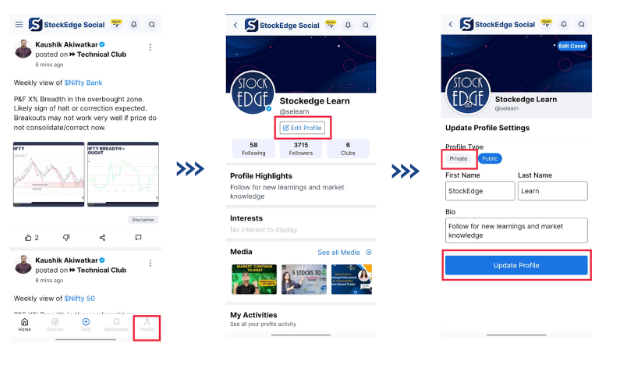
- Login to StockEdge Social App
- Go to your Profile (on the top right corner)
- Click on Edit Profile> Select the profile type as “PRIVATE”.
- Click on Update to complete.
Comments
0 comments
Please sign in to leave a comment.